

AI Metadata Engine for Lightroom Classic
by ChromaMeta
Built for photographers who shoot more than they can tag.
What It Does
META Engine generates metadata directly inside Lightroom Classic.
What It Does
META Engine generates metadata directly inside Lightroom Classic.
No browser switching. No copy-paste. No exporting.
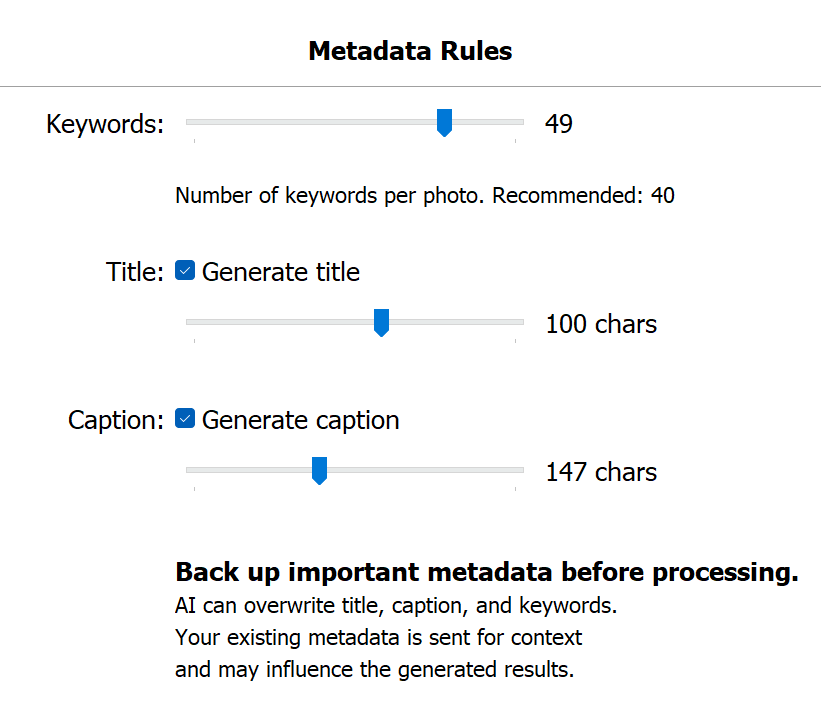
Keywords (always generated)
Title (optional)
Caption (optional)
How It Works
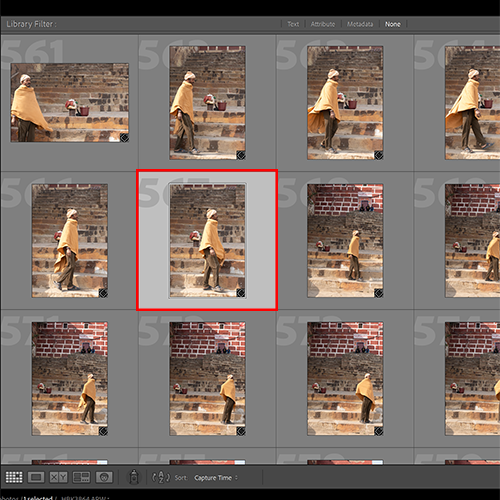
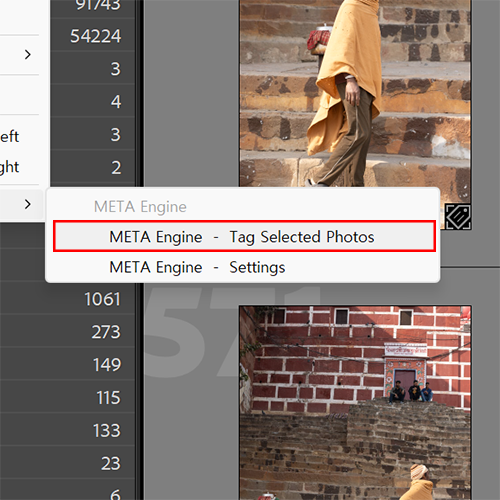
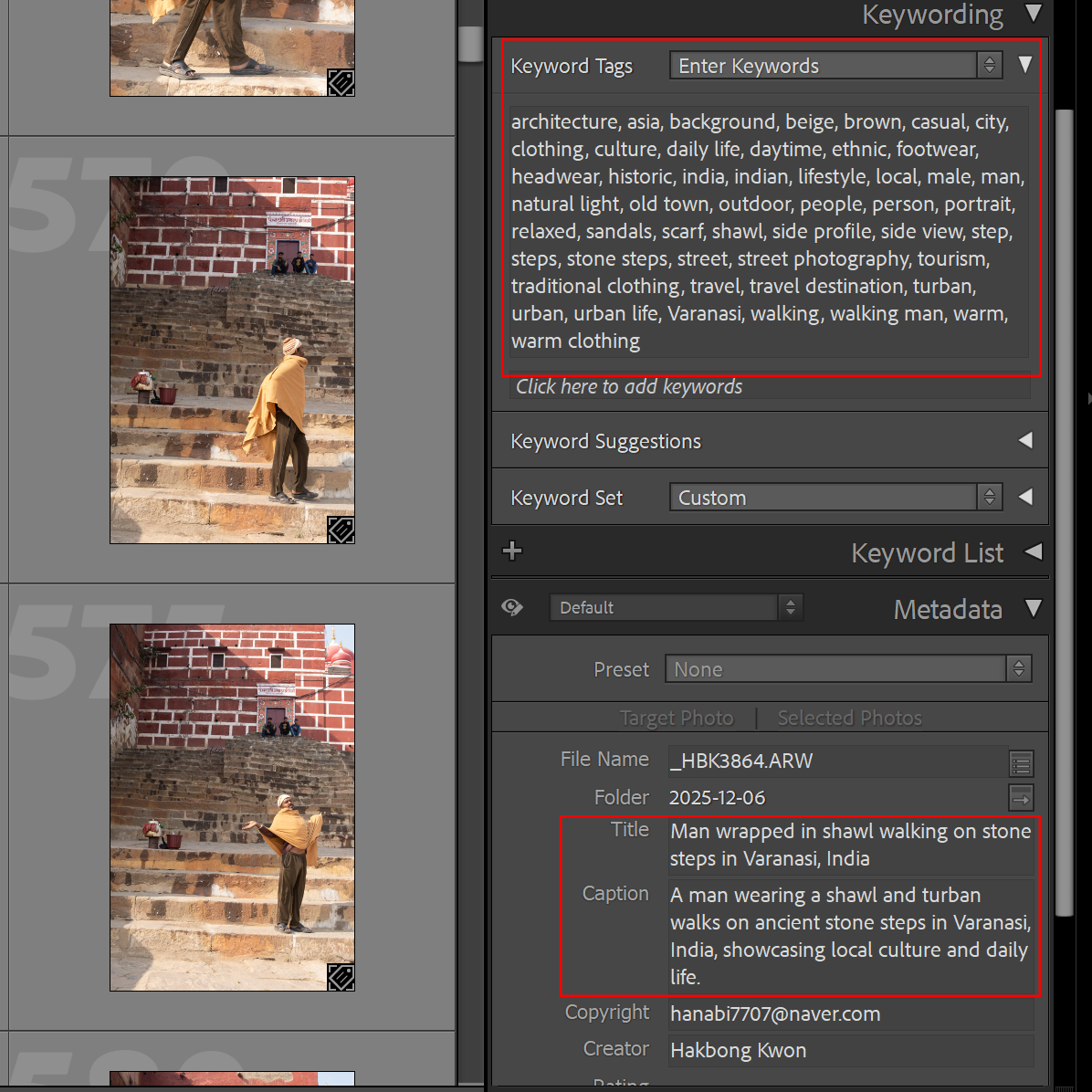
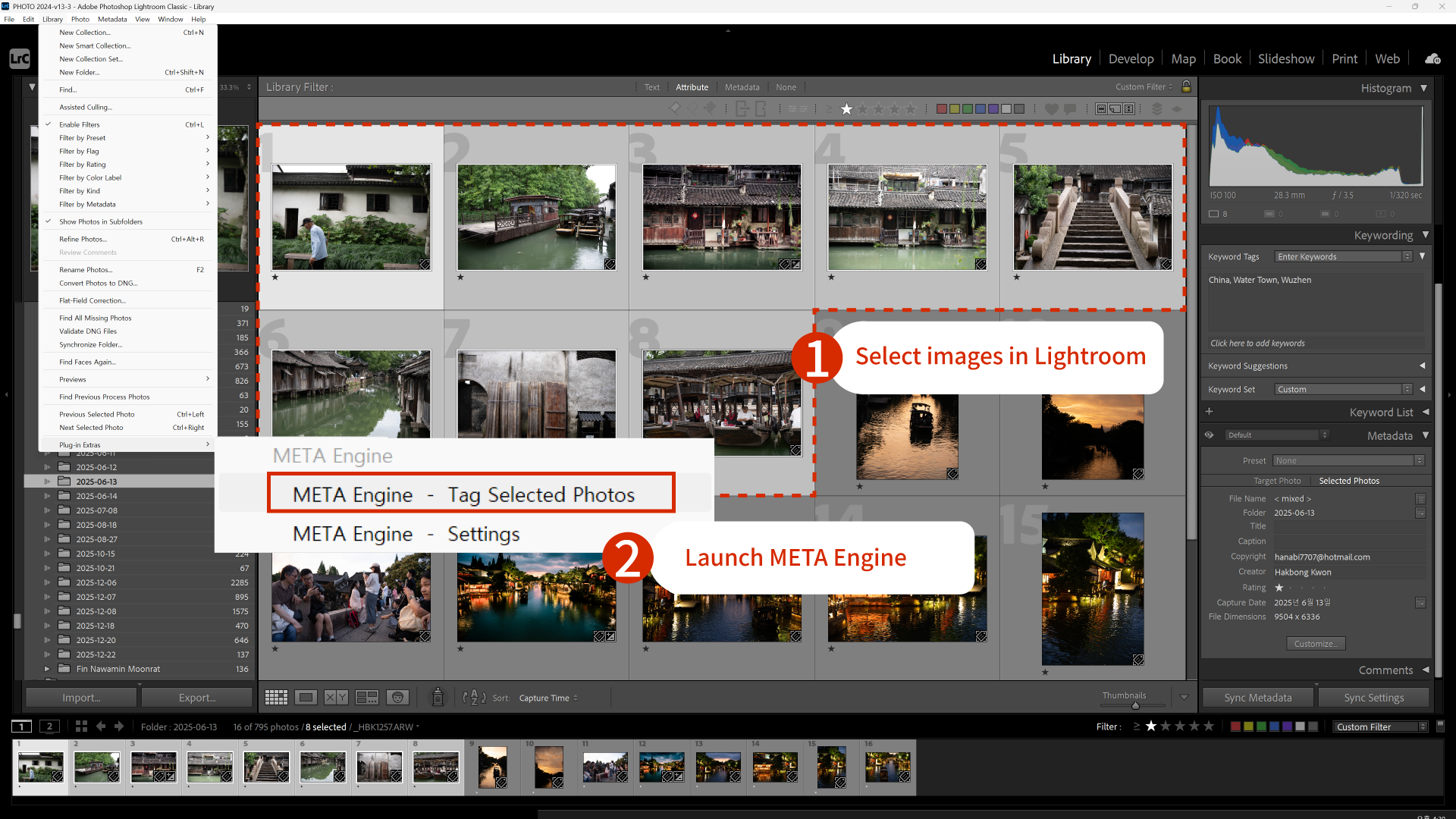
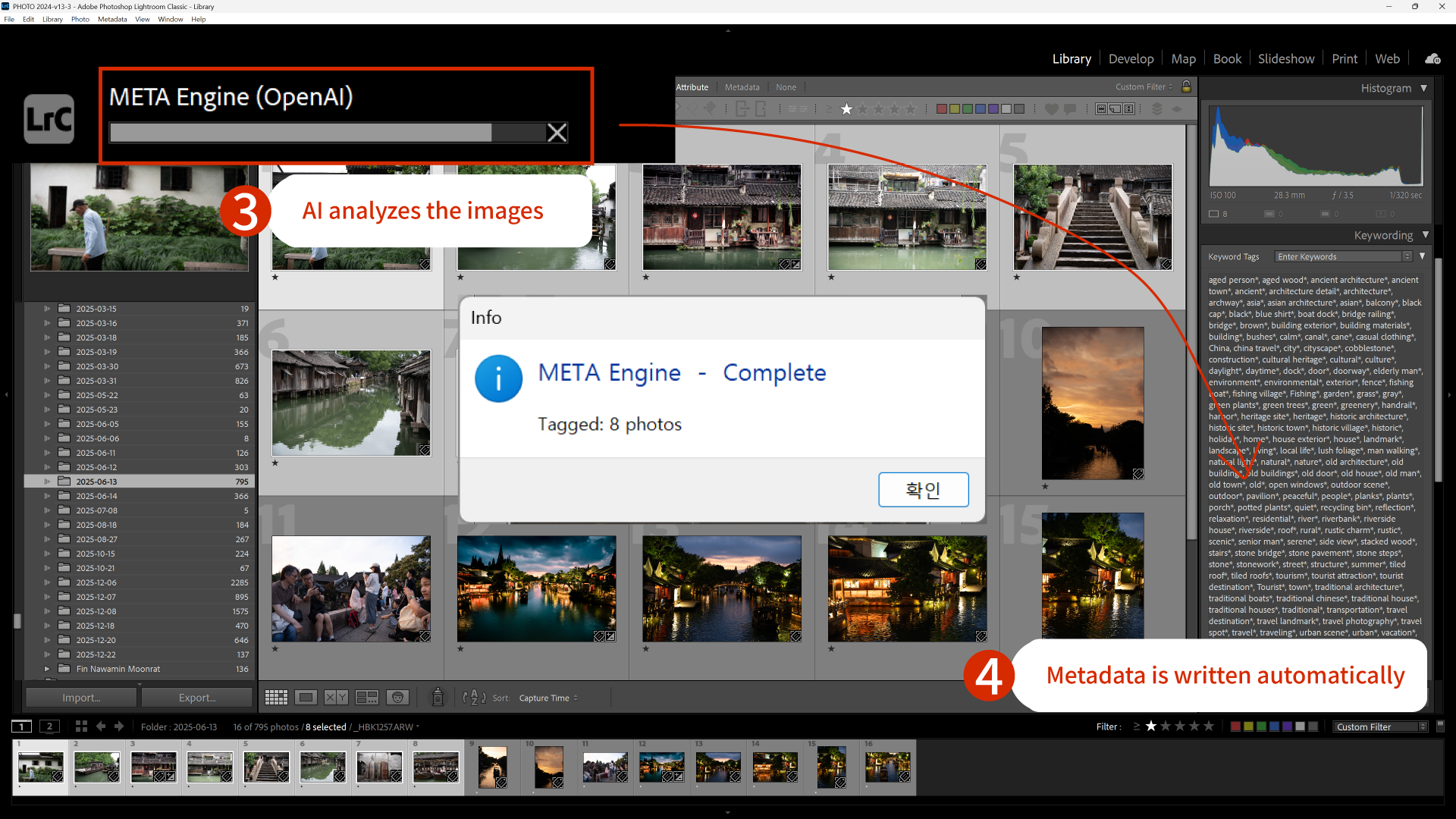
META Engine is adjustable.
You control speed, cost, and output depth.
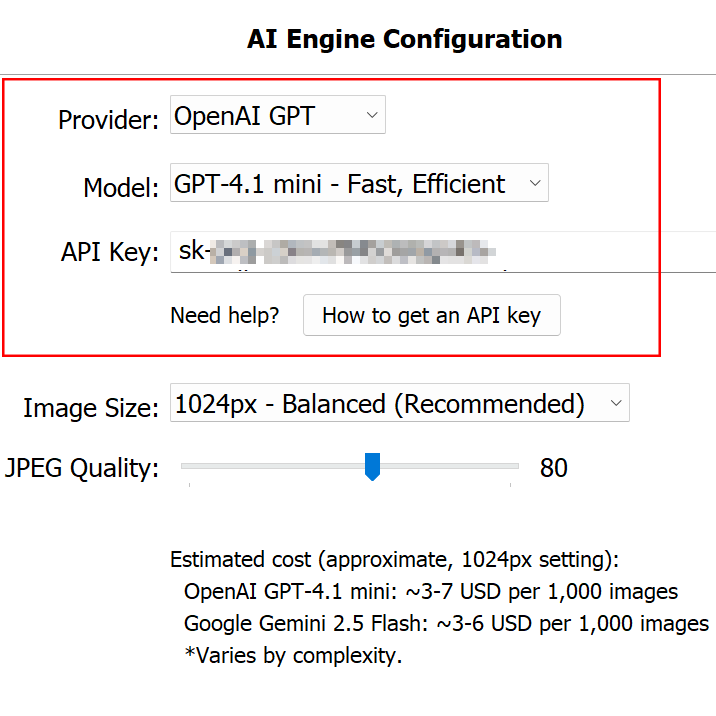
AI Provider
Choose your AI API provider.
• Google (Gemini)
You use your own API key.
No markup. No subscription from ChromaMeta.
Different providers may offer different pricing or performance.
You choose what fits your workflow.
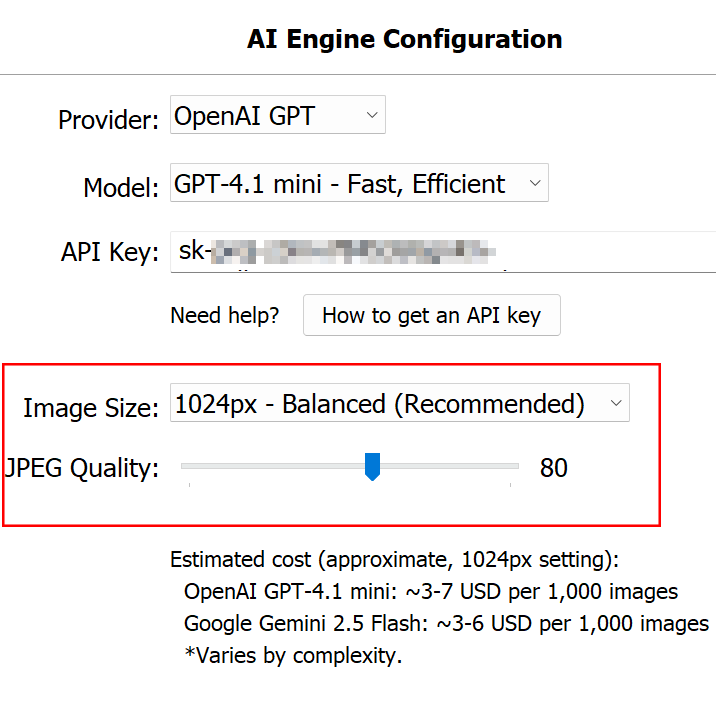
Image Size & JPEG Quality
Image Resolution
Higher resolution = more visual detail
Lower resolution = faster and cheaper
JPEG Compression
Higher quality = more data sent
Lower quality = smaller file size, lower cost
This is where you tune the engine for large batches.
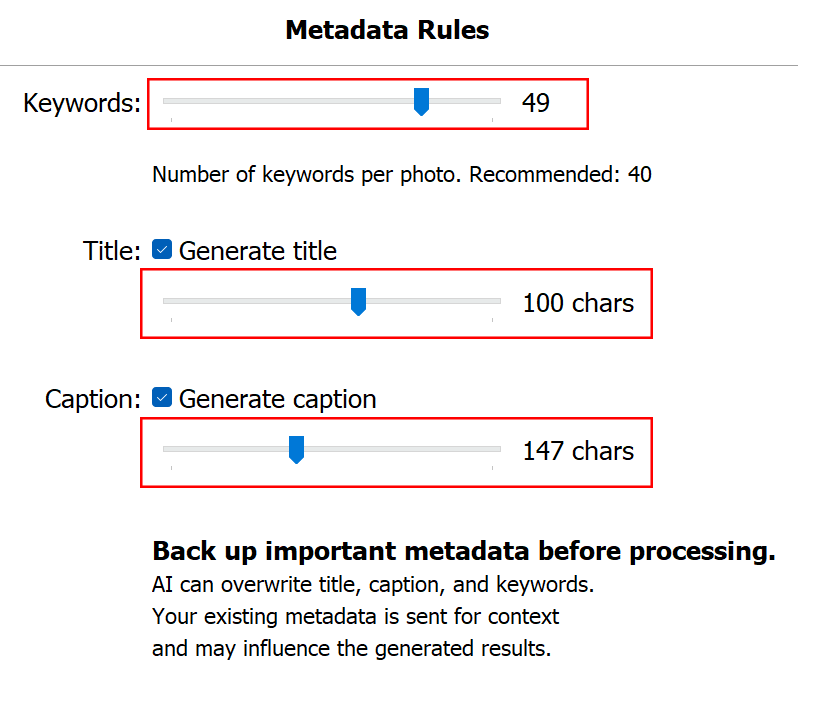
Output Length
Short
Standard
Extended descriptive output
Choose how detailed the metadata should be.
Stock workflow → Short / Standard
Editorial or archive → Standard / Extended
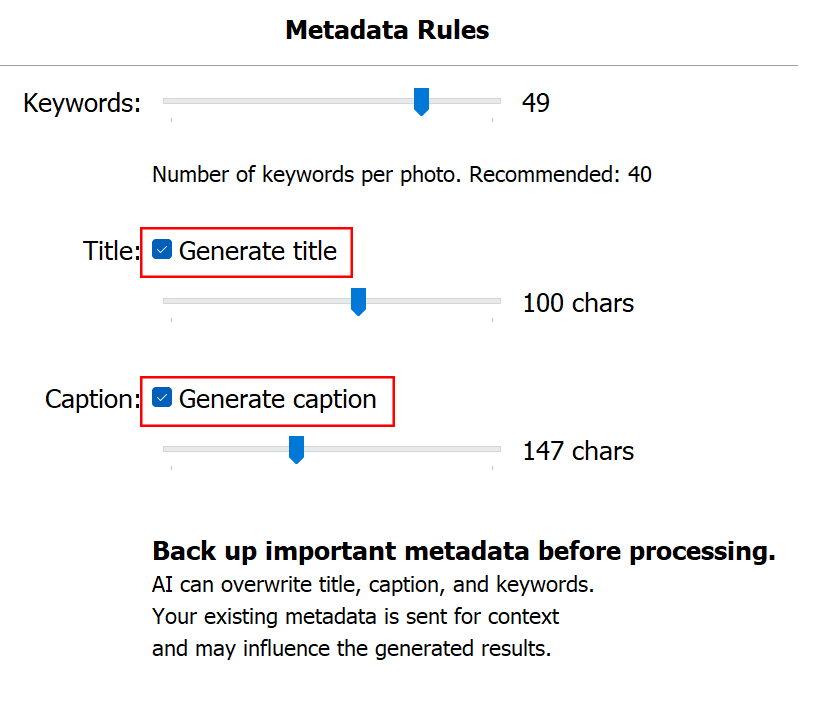
Toggles
Title ON / OFF
Caption ON / OFF
Keywords are always generated.
This is the core function of META Engine.
Who It’s For
• Stock photographers
• Event & wedding photographers
• Travel & documentary shooters with large archives
• Anyone processing hundreds or thousands of images
If manual AI copy-paste feels exhausting, this is your workflow upgrade.
META Engine does not include built-in AI.
You use your own API key.
Why?
Because this keeps the running cost low.
There is:
No subscription
No markup on AI usage
No bundled hidden fees
You pay:
One-time plugin purchase
AI usage directly to the provider
Requirements:
API key
Internet connection
AI provider account
What You Actually Pay Per 1,000 Images (AI Usage)
Assumptions:
- Image resized to ~1024px (longest edge)
- JPEG quality: ~75%
- Standard output length
- Single-pass metadata generation
GPT-4.1 mini class
$3.0 – $7.0
per 1,000 images
1 image ≈ $0.003–$0.007
1,000 images ≈ $3–$7
Higher resolution (e.g. 2048px) + extended output:
1,000 images ≈ $5–$9
Gemini 2.5 Flash class
$3.0–$6.0
per 1,000 images
1 image ≈ $0.003–$0.006
1,000 images ≈ $3.0–$6.00
Higher resolution + extended output:
1,000 images ≈ $4–$7
Privacy & Data Handling
META Engine does not store your images.
How processing works:
ChromaMeta does not operate a cloud archive,
and does not collect, resell, or index your photos.
ChromaMeta does not maintain image databases.
There is no content profiling, no dataset reuse, and no resale of user images.
AI usage is billed directly by your selected provider (OpenAI or Google),
under their own data policies.
For maximum privacy, you may review the AI provider’s data handling terms.
System Requirements
Software
Adobe Lightroom Classic (latest version recommended)
Internet connection (required for AI generation)
Operating System
macOS (Intel or Apple Silicon)
Windows 10 / 11
Hardware
Standard modern workstation
Minimum 8GB RAM recommended
Stable internet connection
FAQ
Ready to eliminate metadata work?
Stop formatting titles, captions, and keywords manually.